
Use this page to learn easier & better workflows for software and hardware in all our spaces from our own experts!
RisoPrinting
·
STL Mesh Fixing
·
Woodworking
·
Tips & Tricks
.
RisoPrinting · STL Mesh Fixing · Woodworking · Tips & Tricks .
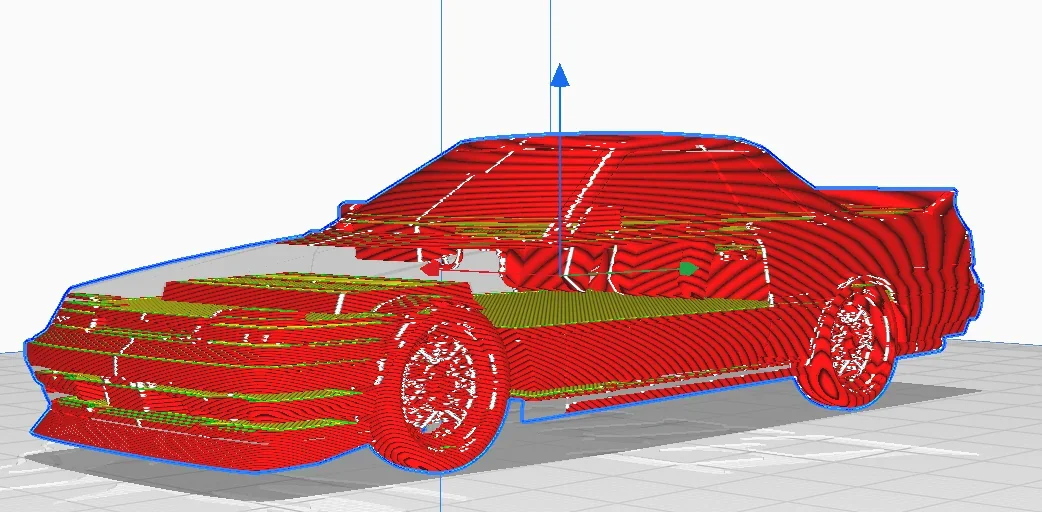
Is your STL broken?
Does it have open edges?
Is Pruslicer unable to slice?
We have found you a reliable Free Online STL repair tool that is easy and free to use.
Upload your .stl, let the website do its magic and then re-download your new and upgraded file!
CLICK THE BUTTON BELOW TO USE IT

Are you planning to Riso print?
Do you need to separate your color layers?
Do you need to turn your file greyscale?
Install this free software and upload your file, it’ll help you do all the above automatically!
CLICK THE BUTTON BELOW TO INSTALL

Are you 3Dprinting?
Confused which filament to use?
Every project is different. Take a look at this infographic below to help you select which filament to use based on your needs.
CLICK THE BUTTON BELOW TO USE IT